Portal overview
The Metrana portal is the web interface for exploring and analyzing your machine learning experiments. Once your training code logs data to Metrana, the portal is where you browse runs, visualize metrics, compare experiments, and inspect reinforcement learning environments.
How Metrana is organized
Section titled “How Metrana is organized”Everything in the portal lives in a simple hierarchy:
Workspace → Project → Run → (Environments)
- A workspace is a top-level container for a team or account. It holds projects and members.
- A project groups related runs (for example, one model or research effort).
- A run is a single training session — one execution of your script. It carries attributes (metadata such as hyperparameters) and metrics (the time-series your code logs).
- For reinforcement learning runs — an environment captures per-episode and per-step data.
For precise definitions and how these relate, see Core concepts.
Signing in
Section titled “Signing in”When you sign in you land on the Workspaces hub, which lists every workspace you belong to and how many projects each contains. Select a workspace to start browsing its projects, or use the + button to create a new one.
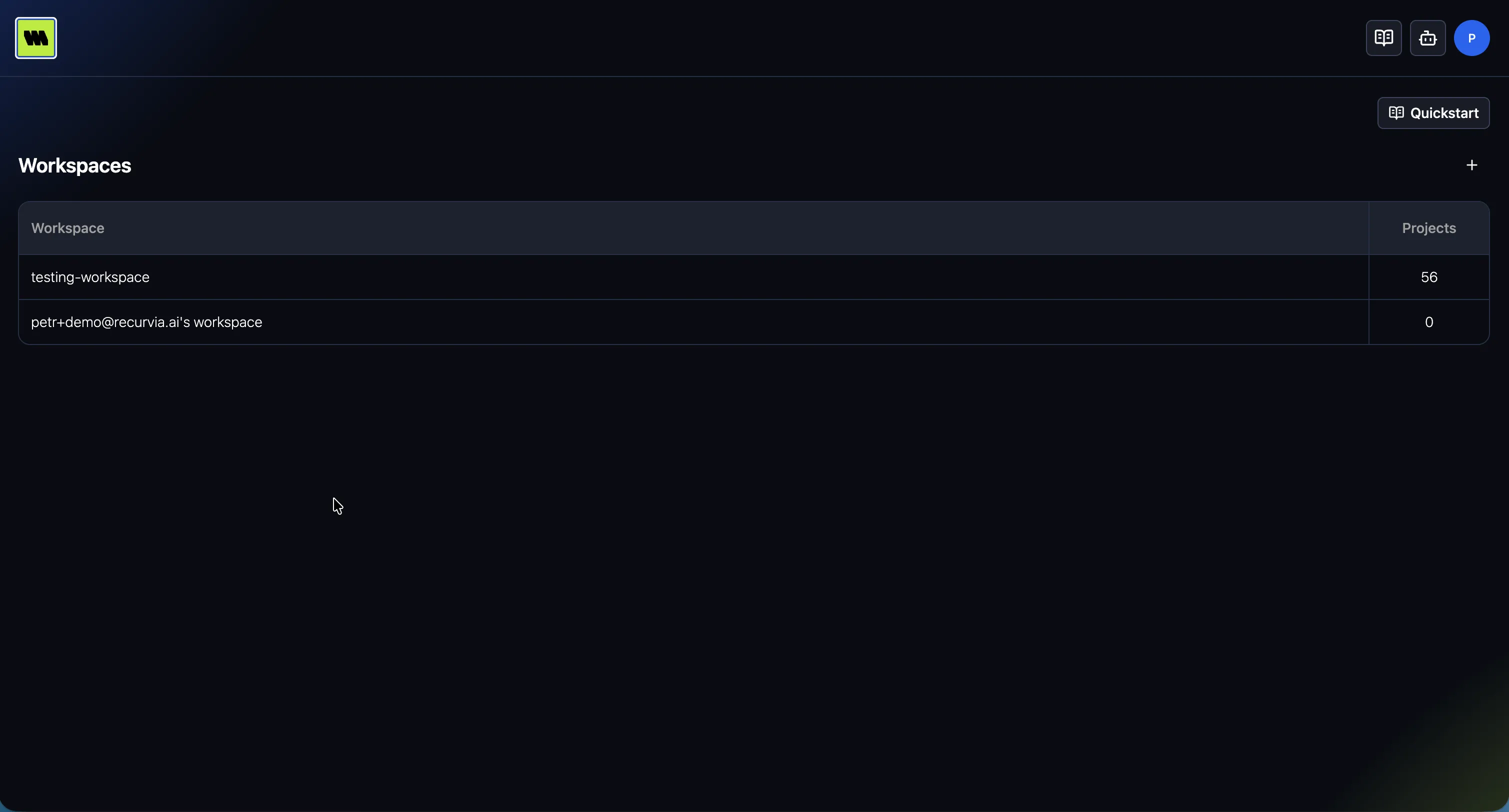
If you don’t have data in the portal yet, start with Getting your data in.
A tour of the interface
Section titled “A tour of the interface”Wherever you are in the portal, the layout stays consistent:
- Header & breadcrumbs — the top bar shows your location as a breadcrumb trail (workspace → project → run → environment). Click any segment to jump back up the hierarchy.
- Context tabs — below the breadcrumbs, tabs switch between the views available for your current
context:
- Project: Runs, Compare, Side-by-side, Dashboard
- Run: Overview, Charts, Dashboard, then — on reinforcement learning runs — Environments, Compare, Side-by-side
- Environment: Overview, Charts
- AI assistant — a chat panel you can open on the right to ask questions about your data. Toggle it any time with ⌘/Ctrl + L. See AI assistant.
- Quickstart — a shortcut to logging instructions for getting data into the portal.
The portal remembers where you were
Section titled “The portal remembers where you were”Navigation picks up where you left off, so you don’t re-navigate to the same place every session:
- Last tab — returning to a project, run, or environment reopens the tab you last used there, rather than always starting at the default. Fresh defaults are Runs for a project and Charts for a run or environment.
- Last workspace — the portal can send you straight to the workspace you used last instead of the Workspaces hub. See Preferences.
- Panel layout — panel sizes and whether a sidebar is collapsed are remembered per view.
This state is stored in your browser, so it’s per-device and doesn’t travel with your account. It’s also separate from the shareable view state held in the URL — a link you send someone reproduces your view, not your navigation history.
Keyboard shortcuts
Section titled “Keyboard shortcuts”The portal is keyboard-friendly. Press ? anywhere to open the shortcuts reference. The most useful ones:
- ? — show keyboard shortcuts
- ⌘/Ctrl + L — toggle the AI assistant
- 1–4 (and up to 6 on reinforcement learning runs) — switch between the tabs of the current view
See the full list in Keyboard shortcuts.
Where to go next
Section titled “Where to go next”- New here? Start with Getting your data in.
- Want the mental model first? Read Core concepts.
- Ready to explore data? Jump to The runs table.