Run overview & attributes
Selecting a run opens its Overview, where you can browse the run’s attributes — the metadata and configuration logged with the run. The run’s views are reached from the tabs at the top: Overview, Charts, Dashboard, and (for RL runs) Environments.
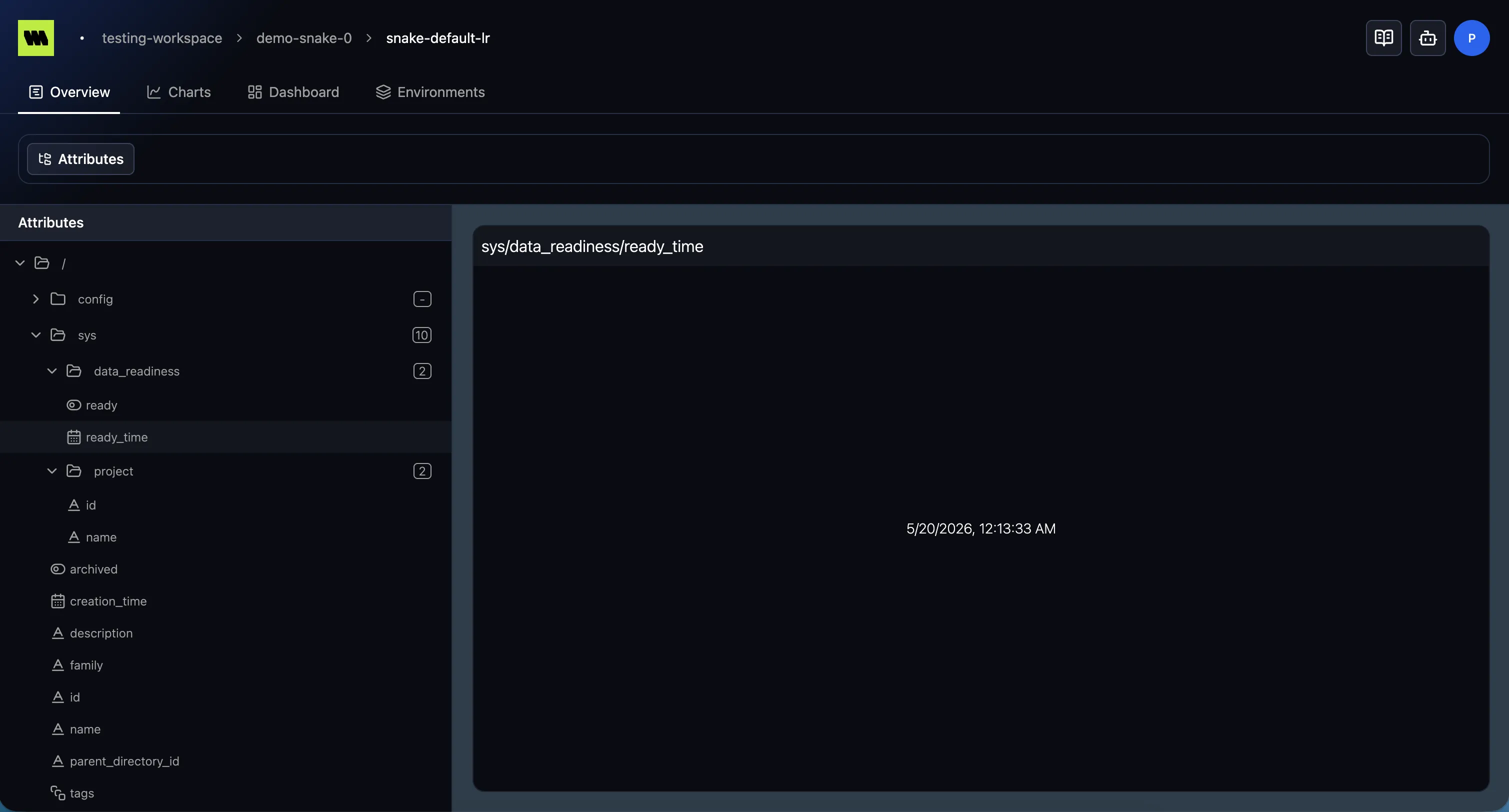
The attributes tree
Section titled “The attributes tree”Attributes are organized as a tree in the sidebar. Folders group related fields (for example, system
fields under sys), and each leaf is a single attribute.
- Expand / collapse folders to drill into nested attributes.
- A type icon next to each leaf shows the attribute’s type (string, number, boolean, date, or set).
- Select an attribute to view its value in the detail pane.
Your expanded/collapsed state is remembered between visits.
The sidebar
Section titled “The sidebar”The attributes sidebar can be collapsed to give the detail pane more room, and resized by dragging its edge.
Sharing a selection
Section titled “Sharing a selection”Your current selection is reflected in the page URL, so you can bookmark or share a link that opens the run at the same attribute. See Sharing & bookmarking.